

Contact
Nagy Katalin DXN Code: 819227190
Whatsapp: +491736281329
E-mail: nagyfelho2015@gmail.com

Register in Just 2 Minutes
Your success story begins with a single click. Register now and enjoy a 25% lifetime discount: I want the discount!Business
After registering, click the link in your welcome email — or, as an easier solution, follow the steps below. The images and instructions will guide you through entering the activation code provided in your email.
For your first login, you'll find your activation details below.
Membership Code: 820xxxxxx
Activation Code: xxxx
Follow These Steps:
1. Click the eWorld link: https://eworld.dxn2u.com/index.php?r=site%2Ffirstlogin
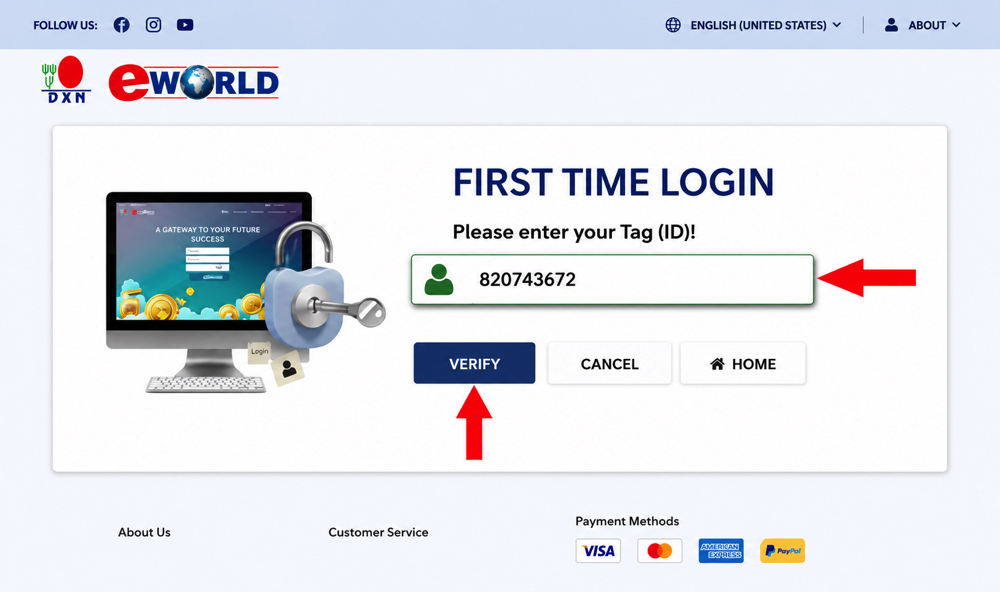
2. Enter the DXN membership code you received, then click the Confirm button.
3. Enter your date of birth (day, month, year) and your email address. If you'd prefer to receive your activation code by SMS instead, tick the box next to SMS.
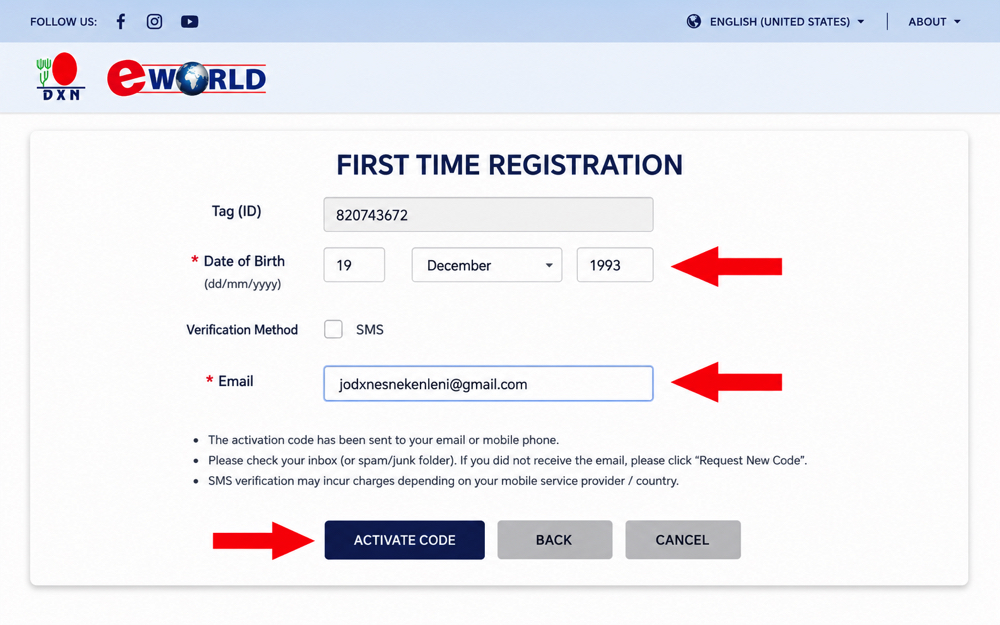
4. Finally, click the Activate Code button.
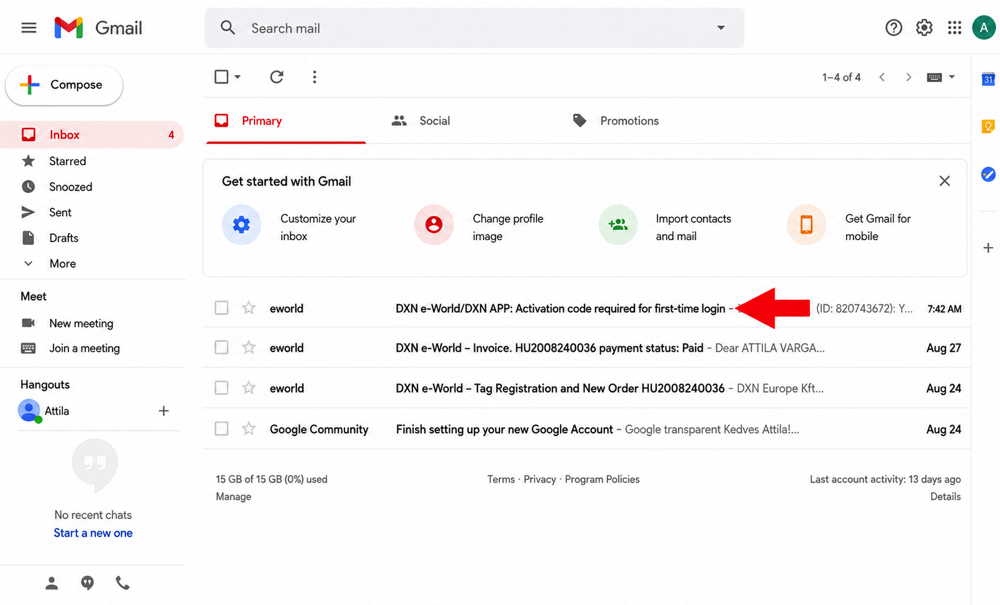
5. Open your email account in a separate tab and look for the relevant email.
- If you're using the activation code from your welcome email, the subject line will be: DXN e-World – Membership Registration and New Order
- If you've just requested a new activation code, the subject line will be: DXN e-World/DXN APP – Activation Code Required for First Login
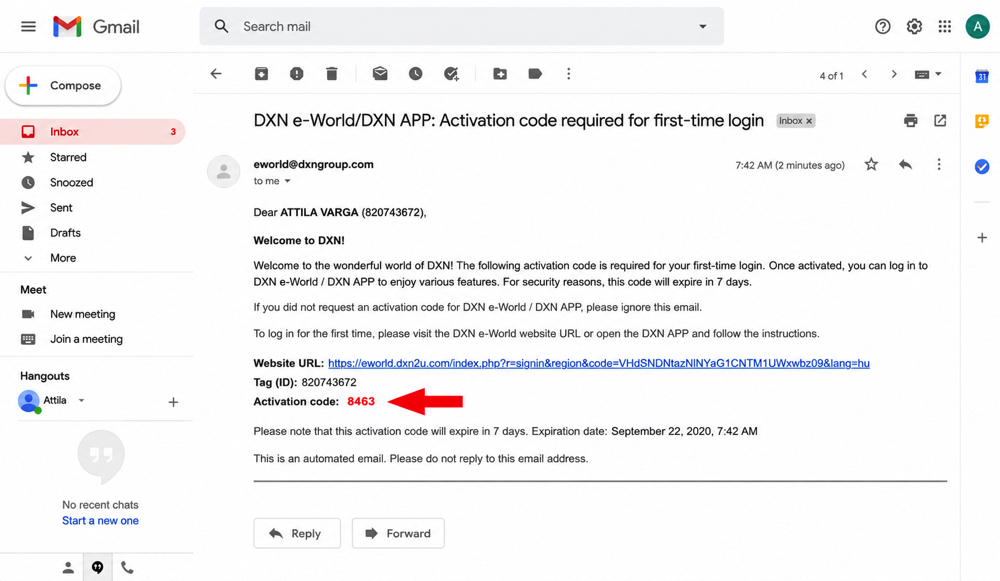
6. Copy your activation code from the email.
7. Return to the login page, enter the activation code, and set a new password (8–12 characters, must include a lowercase letter, an uppercase letter and a number). This will be your password for logging into eWorld going forward. Finally, click the Submit button.
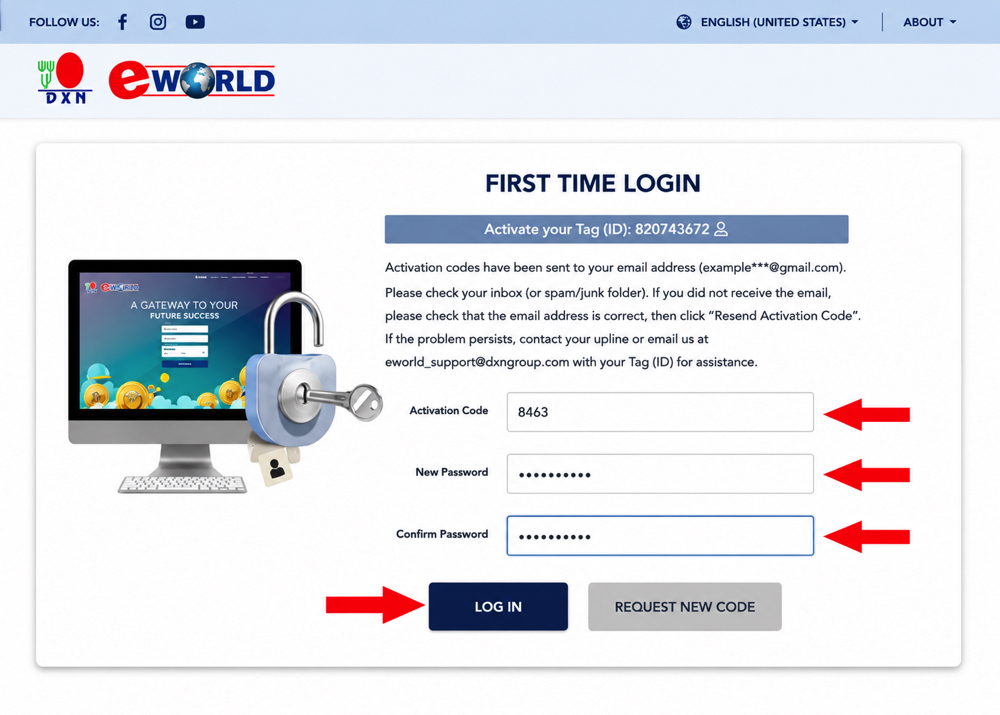
8. On the screen that appears, enter your Membership Code, the password you just created, and the four-digit security code. Finally, click the LOGIN button.
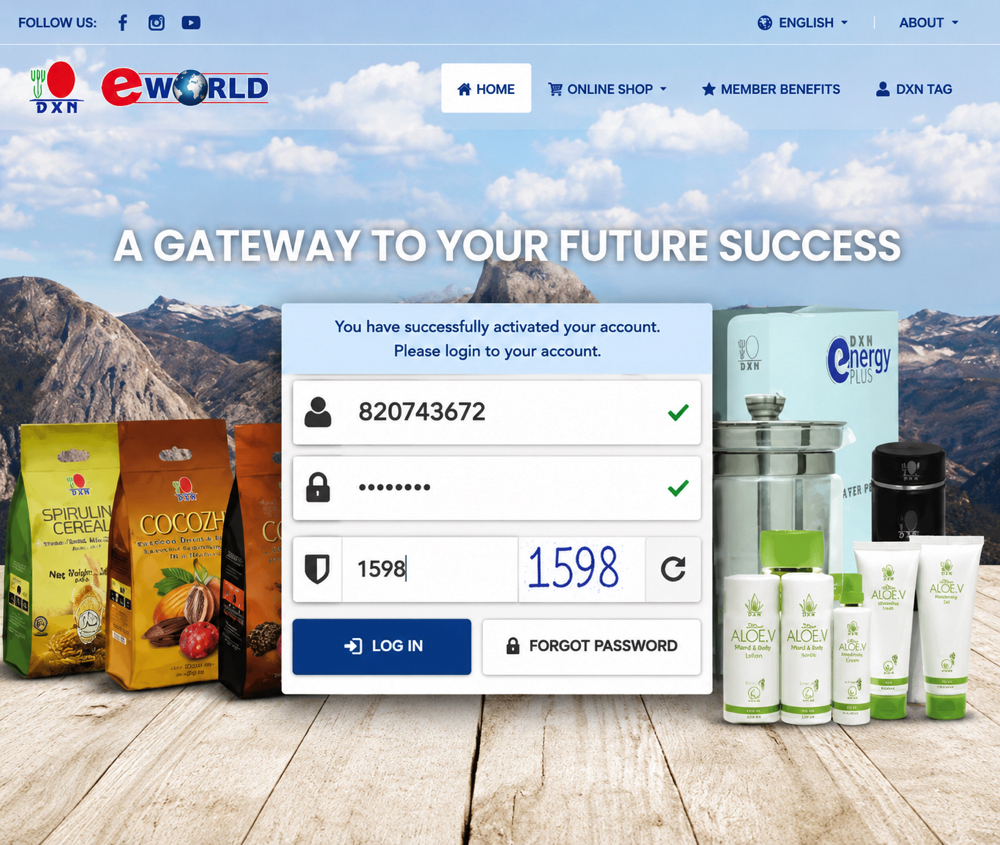
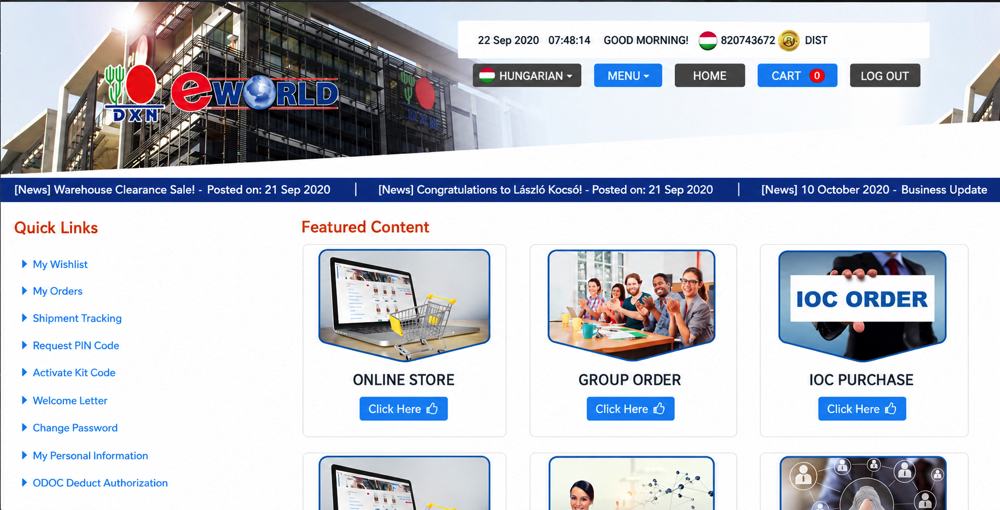
Once you've successfully logged in, you'll be taken to the eWorld dashboard, where you'll see the homepage shown below.
If you run into any issues, just let me know and I'll help you out. Please tell me exactly which step you got stuck on, and include a screenshot of the error so I can assist you as efficiently as possible.
Back to the previous page!